tvQuickActions Pro
tvDevTools
4.396.00 Reviews
- Version
- 3.7.0
- Installs
- 10.00K
- Age Rating
- Everyone
Screenshots
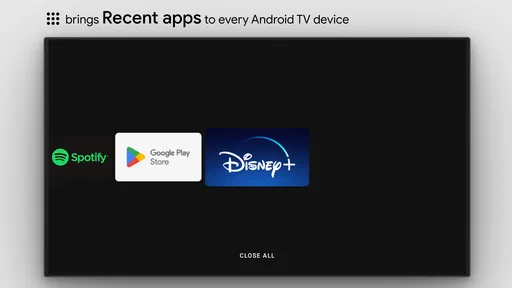
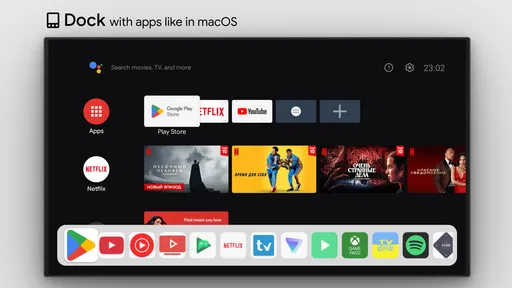
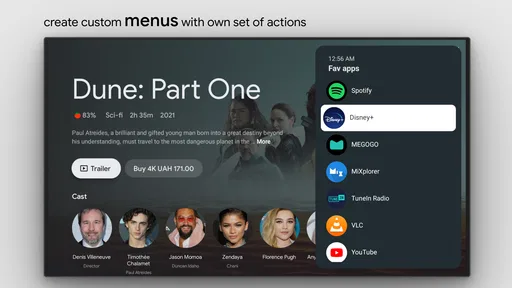
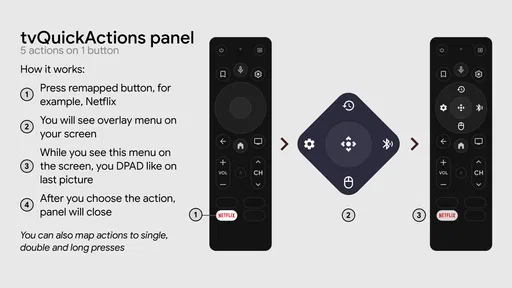
Our Review of tvQuickActions Pro
 Analysis by Appyee
I like the idea behind tvQuickActions Pro: rather than asking you to replace your television remote or learn a completely new control system, it aims to make the buttons you already use more useful. Its appeal is practical, not flashy. If you often move between streaming apps, adjust settings, or wish a frequently used action were one press away, a button-mapping tool can make Android TV feel less fiddly. The trade-off is that you need to spend a little time deciding what deserves a shortcut.
Why button mapping can make a difference
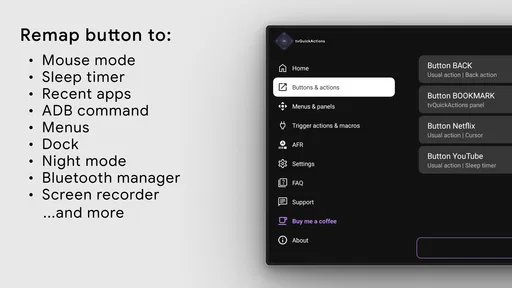
On a television, small delays in navigation add up. Returning to a home screen, finding an app, and moving through its menus can turn a quick change into a string of clicks. A mapper lets you give selected remote buttons alternate jobs, so the path to a common action can be shorter. That is most useful when your routine is predictable: perhaps you open the same service after dinner, switch inputs for a console, or reach for a volume control while watching.
The important distinction is that a mapper is not a replacement for the streaming services or the TV’s menus. It changes how you get to actions; it does not make those actions themselves simpler or add content. I would think of it as a layer of personal shortcuts for a setup you already know, rather than a universal remote that automatically understands every device in your living room.
A useful fit for routines, not every remote
The strongest reason to try it is control over your own layout. A button that rarely gets used can be more valuable as a direct route to something you do every day. The right mapping depends on the remote and on your habits, so I would begin with one or two changes rather than remapping everything at once. Keep the original jobs you rely on easy to reach; a clever shortcut is not worth it if it makes basic navigation harder for another person in the household.
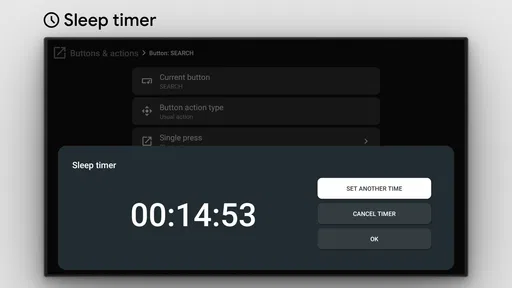
A realistic example is settling in for a film. You might want to open a streaming app, adjust the volume, and later use a sleep timer instead of remembering to turn the TV off. Having the relevant controls closer at hand can reduce menu-hopping, especially when you are already comfortable with the remote. The benefit is less dramatic if you regularly use many different apps or if your viewing habits change from day to day, since you may spend more time remembering your custom setup than you save.
Beyond shortcuts: a more hands-on toolset
Button mapping is only part of the appeal. The app also brings together a mouse toggle and a sleep timer, which address different frustrations. A mouse-style control can be handy when an interface is awkward to navigate with directional buttons, while a timer suits people who watch late and do not want playback or the television running indefinitely. These are useful additions, but they do not mean every app will behave like a desktop interface or that every device will respond in exactly the same way.
There is also a trade-off in combining several kinds of controls. A sleep timer is a set-and-forget convenience; mapping is something you configure; a mouse toggle is most helpful when you need it and can feel unnecessary the rest of the time. I would avoid treating every available action as a must-have. Choose a small set that solves an actual annoyance, then see whether it remains useful after the novelty wears off.
Where it sits beside the usual alternatives
The usual alternative is simply using the remote as supplied and opening apps through the TV’s standard home screen. That remains the better choice if you only watch occasionally, already find navigation quick, or share the television with people who prefer familiar controls. It costs nothing in setup time and avoids the learning curve of custom assignments.
A separate universal remote may make more sense when your main problem is controlling several pieces of hardware with one physical device. A phone-based remote is a different fit if you want a touch interface or frequently type searches. tvQuickActions Pro is more compelling when the remote itself is already comfortable and the missing piece is a quicker route to selected functions. It is a targeted convenience tool, not a cure for every kind of living-room clutter.
A New Way to Control Your TV
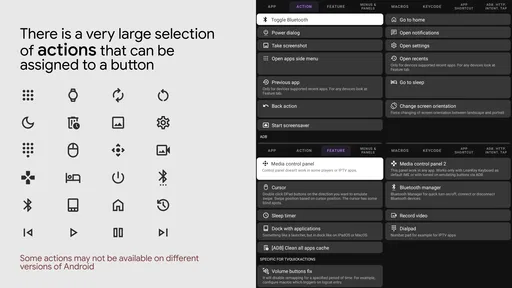
First off, tvQuickActions Pro isn’t just another remote app. It’s designed to bring all your favorite actions right to the forefront. Imagine being able to switch between apps, control the volume, or even toggle a flashlight with just a couple of clicks. It’s like a Swiss Army knife for your TV, and it’s a game-changer if you’re someone who likes to have everything at their fingertips.
Easy Setup and Intuitive Interface
Setting up the app was a breeze. I’m not exactly a tech wizard, but I found the process super straightforward. Once installed, the app integrates seamlessly with your existing remote, transforming it into a multifunctional tool. The interface is clean and intuitive, making it easy to customize your quick actions. You can assign different functions to the buttons you use most often, which is perfect for those of us who want to streamline our viewing experience.
Customization at Its Best
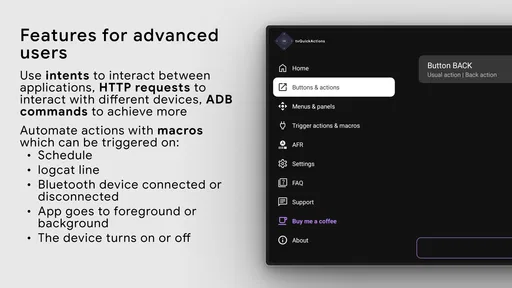
One of the standout features of this app is the level of customization it offers. You can tailor it to fit your specific needs. Whether it's launching your favorite streaming service or accessing a particular channel with a single click, the app lets you decide what’s most important. Plus, the ability to set up macros for multi-step tasks is a godsend for those who want to automate their viewing habits.
Performance and Reliability
Performance-wise, the app is rock solid. I didn’t experience any lags or crashes during my testing. Everything worked smoothly, which is crucial when you’re trying to enjoy a relaxing evening in front of the TV. The app’s response time is impressive, and it feels like an extension of your remote rather than a separate entity.
Why You’ll Love It
- Quick Access: Jump between apps and functions faster than ever.
- Customizable: Tailor the app to fit your unique viewing habits.
- Reliable: Enjoy a seamless experience with no hiccups.
- User-Friendly: Easy to set up, even for the less tech-savvy among us.
What really sets it apart is its ability to simplify the way you interact with your TV. It’s like having a personal assistant for your entertainment needs, allowing you to focus on what truly matters—enjoying your favorite shows and movies without any hassle.
Cost, compatibility, and who should skip it
This is a paid tools app from tvDev, priced at $3.99, with optional in-app purchases ranging from $1.99 to $18.99 per item. I would weigh that cost against how often you use your television and how many repeated button presses you expect to save. If you only open one app and rarely touch settings, the standard remote may be enough. If you customize controls regularly, the price may feel more reasonable because the benefit shows up in everyday use rather than in a one-time feature.
The app is rated for Everyone, has an average rating of 4.4 from around 850 ratings, and has passed 10,000 installs. It was released on April 30, 2021, and version 3.6.0 requires Android 7.0 or later. Those details make it easier to judge whether it fits your device and comfort level, but they do not guarantee identical behavior across every television, remote, or app. I would check that your Android TV setup meets the OS requirement before paying, then make changes gradually so you can tell which mapping actually helps.
One practical tip is to reserve the most intuitive button for the action you use most often, rather than assigning a clever but occasional shortcut to it. If the remote is shared, choose mappings that are easy to explain and avoid changing core navigation. Another useful approach is to test a timer or mouse toggle on the occasions you need them before building them into a routine. That keeps your layout simple and makes it easier to notice whether these extra tools solve a real problem.
Final Thoughts
If you’re tired of fumbling around with multiple remotes and confusing interfaces, give tvQuickActions Pro a shot. It’s a small investment for a huge payoff in convenience and efficiency. Whether you’re a casual viewer or a TV enthusiast, this app has something to offer. So go ahead, download it, and make your TV-watching experience as smooth as butter.
Ready to transform the way you watch TV? Check out the download link and see the difference for yourself!
Verdict
Strengths of tvQuickActions Pro
- Customizable remote control options.
- Quick access to favorite apps.
- User-friendly interface design.
- Supports multiple TV brands.
- Frequent updates and improvements.
Limitations of tvQuickActions Pro
- Limited free features available.
- Occasional connectivity issues.
- No offline functionality.
- Requires in-app purchases for full use.
- Ads in the free version.
Similar Picks in This Category
View All
Google LLC4.0

Gboard - the Google Keyboard
Google LLC4.5

Google Play services
Google LLC4.3

Google Play Store
Google LLC4.9

Files by Google
Google LLC4.5

SHAREit: Transfer, Share Files
Smart Media4U Technology Pte.Ltd.4.3
Frequently Asked Questions
What is tvQuickActions Pro and what features does it offer?
tvQuickActions Pro is an app designed to enhance the user experience on Android TV devices. It provides quick access to various functions like app shortcuts, volume control, and screen capture, all through customizable gestures. This app is particularly useful for users seeking to streamline their interactions with their TV interface.
Is tvQuickActions Pro compatible with all Android TV devices?
While tvQuickActions Pro is compatible with a wide range of Android TV devices, it is advisable to check the specific requirements on the app’s download page. Some older models may not support all features, and certain functionalities may require additional permissions or software updates.
How does the gesture control work in tvQuickActions Pro?
Gesture control in tvQuickActions Pro allows users to assign specific actions to various gestures on their remote control. This includes swipes and long presses, which can be customized to perform tasks like launching apps or adjusting volume. This feature aims to simplify navigation and enhance user convenience.
Does tvQuickActions Pro affect the performance or battery life of my device?
tvQuickActions Pro is designed to be lightweight and should not significantly impact the performance or battery life of your Android TV device. However, as with any app, excessive use of certain features, like screen capture, may have a minor effect on performance over prolonged periods.
Is there a free version of tvQuickActions, and what are the benefits of upgrading to Pro?
Yes, there is a free version of tvQuickActions that offers basic functionalities. Upgrading to the Pro version unlocks additional features such as more customizable gestures, enhanced shortcut capabilities, and ad-free usage. Users seeking a more comprehensive and customizable experience may find the Pro version beneficial.
